Export loading mistakes: 8 errors and how to avoid them
Why did a list at 88.6% of trailer volume need two trucks, and why did one no-stack flag add a second? Eight common loading mistakes across planning, loading and paperwork, the rule each one breaks and how to prevent it.
· 10 min read
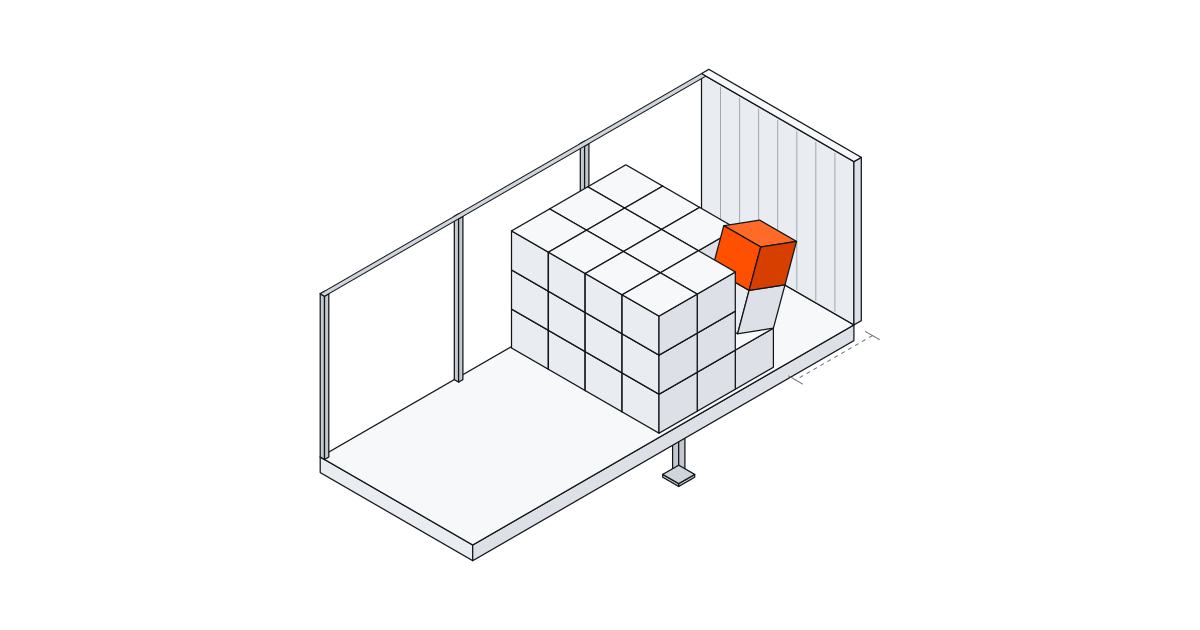
The expensive loading mistakes in export are usually made at a desk, not on the dock. Counting trucks from a volume ratio, piling the weight at one end, leaving a gap at the headboard, declaring an estimated VGM and putting figures on the paperwork that don't match the load are the common ones. Some come back as an extra truck on the freight invoice. Others come back at a roadside check, at the terminal gate or in a damage claim.
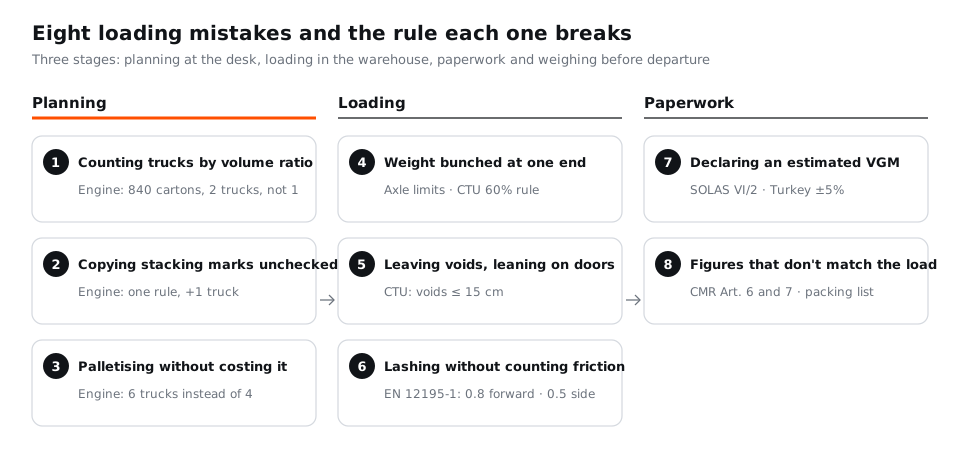
Below are eight of them: what goes wrong, which rule it runs into and how to prevent it. We measured the three planning mistakes with the StowCargo placement engine; for the rules, we link to our detailed articles.
An 8-point check before loading
- Did the truck count come from item-by-item placement rather than a volume ratio?
- Are "do not stack" and "this way up" only on the items that need them?
- Was the decision to palletise made knowing what it does to the truck count?
- Is heavy cargo spread along the vehicle, within axle limits and, in a container, the 60% rule?
- Do horizontal voids add up to less than 15 cm, and does the door-end row stand on its own?
- Are the friction coefficient and the strap label values known for the lashing plan?
- Was the VGM established by an approved method, including tare, dunnage and securing material?
- Do the invoice, packing list, CMR and VGM show the same package count and gross weight?
Planning mistakes
1. Counting trucks by volume ratio
Adding up the cubic metres on the packing list and dividing by the trailer's volume is quick, and it misleads, because a volume ratio has no idea how the cartons will actually sit.
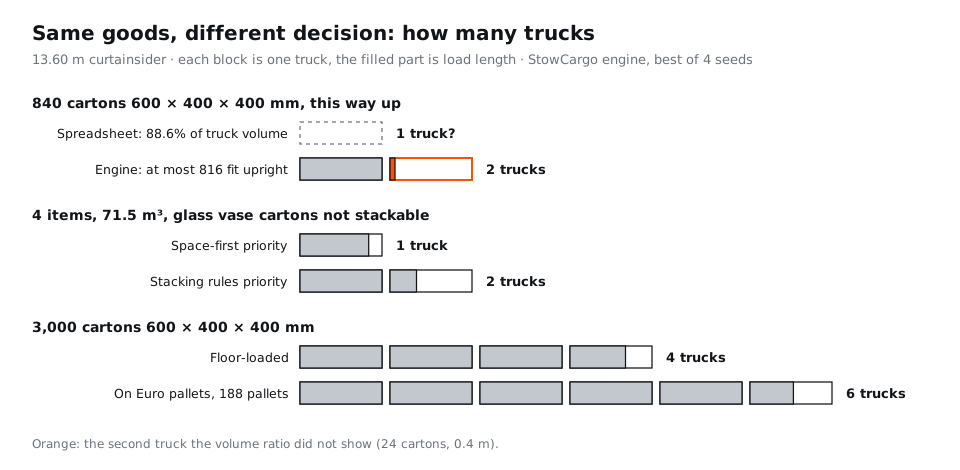
Our measured example: 840 cartons of 600 × 400 × 400 mm at 9.5 kg make 80.64 m³, which is 88.6% of a 13.60 m curtainsider. On a spreadsheet that reads as "fits". If the cartons have to stay upright, at most 816 fit; the engine needs 2 trucks and the second carries 24 cartons in 0.4 m. The ratio on its own tells you little: 520 cartons of 650 × 450 × 500 mm filled 83.5% of the volume and fitted one truck in 12.6 m.
Fix: take the truck count from a placement. The CTU Code makes the same point for containers: when a shipment needs several, decide which item goes in which unit before the first one is loaded (see how to load a container). We measured what volume arithmetic misses in container CBM calculation and Excel vs load planning software.
2. Copying stacking marks without asking
A "do not stack" flag leaves all the height above that carton empty. That is right for goods that really cannot take load. Applied out of habit, it adds trucks.
The list we measured: 180 glass vase cartons (600 × 400 × 500 mm, 9 kg, not stackable), 60 ceramics cartons (800 × 600 × 400 mm, 26 kg), 260 towel cartons (600 × 400 × 400 mm, 12 kg) and 10 bathrobe pallets (1,200 × 800 × 1,400 mm, 420 kg); 71.5 m³ and 10,500 kg in total. With space-first priority, which ignores no-stack flags, it fitted one truck in 11.4 m. With stacking rules applied it needed 2 trucks, with 4.4 m on the second. The only rule in the list was the glass vase flag.
Fix: set the flag from the product and its packaging. If the carton really cannot carry weight, the second truck is the price; if it can, drop the flag. The standard handling symbols are in ISO 780:2015; make the carton and the packing list say the same thing.
3. Palletising without costing it
Pallets speed up loading and unloading, and they take space. 3,000 cartons of 600 × 400 × 400 mm at 9.5 kg need 4 curtainsiders floor-loaded, with 9.2 m on the last. Put on the app's default Euro pallet (1,200 × 800 mm, 1.8 m maximum height), they become 188 pallets and need 6 trucks. Height explains it: a 1.8 m pallet cannot double-stack under a 2.7 m roof, so the space above it travels empty.
Fix: palletise when the consignee wants pallets or unloading is by forklift, but decide with the truck count in front of you. Choosing pallet height to suit the roof sometimes makes a second tier possible; we worked through that in double-stacking pallets.
| Mistake | Input (13.60 m curtainsider) | Result |
|---|---|---|
| Trusting the volume ratio | 840 cartons 600 × 400 × 400 mm, 9.5 kg, upright; 88.6% of volume | Volume ratio: 1 truck. Engine: 2 trucks (816 + 24 cartons) |
| One "do not stack" flag | 4 items, 71.5 m³, 10,500 kg; glass vase cartons not stackable | Space-first: 1 truck, 11.4 m. Stacking rules: 2 trucks |
| Palletising loose cartons | 3,000 cartons 600 × 400 × 400 mm, 9.5 kg | Floor-loaded: 4 trucks. On Euro pallets (188): 6 trucks |
Method: placement engine, the app's default settings, best of four seeds (fewest vehicles first, then the shortest last load). Trailer inside 13,600 × 2,480 × 2,700 mm, payload 24,000 kg.
Loading mistakes
4. Bunching the weight at one end
A truck can be under its gross weight limit and still overload one axle. EU Directive 96/53/EC caps a semi-trailer triple axle with 1.3 to 1.4 m spacing at 24 t, and Turkey uses the same value. Turkey's loading regulation states it outright: a vehicle may not be loaded so that axle limits are exceeded even when the gross weight is not, and its fines provision names the consignor as well as the operator.
The classic case is a short, dense load left against the headboard. In the typical trailer model from our axle load calculation article, 20 t packed into the first 4 m puts about 20 t on the kingpin; the centre of gravity needs to be at least 6.3 m back to avoid that. Dense cargo gets there easily: 114 drums of 210 kg take only 5.85 m of a curtainsider (loading drums, rolls and pipes).
Containers use a different yardstick. The CTU Code wants the centre of gravity within about 5% of the length from the middle; the practical rule is that no more than 60% of the cargo weight sits in one half. Weight at one end makes the box hang crooked from the crane.
Fix: spread heavy items along the deck, keep heavy at the bottom, check the centre of gravity on the plan for short heavy loads, and weigh per axle when in doubt.
5. Leaving voids and leaning on the doors
A void is distance the cargo can travel under hard braking or in a seaway. The CTU Code says voids in any horizontal direction should add up to no more than 15 cm. Doors are not a restraint: the Code designs the side walls for 60% of the payload as a uniform load and the front wall and door end for only 40%.
On the road, Annex III of EU Directive 2014/47/EU rates a gap of more than 15 cm to the front wall, where the load relies on that wall and could penetrate it, in the most serious deficiency class. The directive covers commercial vehicles on EU roads, so trucks coming in from Turkey and other non-EU countries can be checked too.
Fix: load tight against the front wall and one side wall, fill what is left with upright empty pallets, timber or dunnage bags, and block or lash the last row so it stands without the doors.
6. Lashing without counting friction
Under EN 12195-1, road securing must hold 0.8 times the cargo weight forward and 0.5 times sideways and backward. Friction moves the strap count more than anything else. In the example in our load securing article, a 20 t load not touching the headboard at μ 0.3 needs 53 top-over straps for the forward direction (STF 400 daN, 75°); on anti-slip mats (μ 0.6) it drops to 11. On an unswept, icy or snowy floor no value above 0.2 may be used.
Fix: sweep the floor, use anti-slip mats, load against the headboard, and calculate with the STF on the strap label. A strap with an unreadable label does not count.
Paperwork and weighing mistakes
7. Declaring an estimated VGM
Since 1 July 2016, under SOLAS Chapter VI Regulation 2, a packed container without a verified gross mass is not loaded on the ship (IMO). VGM is not the cargo's gross weight; it includes the container tare, pallets, dunnage and securing material. With light cargo the tare can be more than half of it.
SOLAS sets no single international tolerance; national rules do. Turkey's directive, for example, treats a difference above ±5% between declared and actual weight as the threshold for sanctions, and says plainly that it is not an allowance for estimating.
Fix: use the gross weight per container from your load plan as the starting point for what the weighbridge should show, add tare, dunnage and securing, weigh by an approved method and respect the carrier's VGM cut-off. More in container VGM under SOLAS.
8. Figures that don't match the load
The invoice states value, the packing list states packages, net and gross weight and dimensions, and the CMR records the contract of carriage. Package count and gross weight must agree across all three. A difference as small as 192 cartons on the invoice and 190 on the packing list can trigger a closer customs check. Under the CMR Convention the sender is liable for the carrier's expenses and damage caused by inaccurate or inadequate particulars (Art. 7), and where goods travel on several vehicles a separate consignment note may be required for each (Art. 5(2)).
The detail errors we see most: confusing net and gross (net is the goods without packaging), leaving pallet tare out of the gross weight, and sending several vehicles on one overall list.
Fix: produce every figure from one source. The fields are covered in how to prepare a packing list and CMR consignment note. StowCargo prints the per-vehicle packing list and the CMR information sheet from the same plan, so the package count and gross weight agree on every document.
One root cause
Most of the eight share a cause: there was no item-by-item plan before loading day, or the plan sent to the warehouse was not built from the same data as the documents. A packing list with correct dimensions and gross weights settles the truck count, axle and weight distribution, voids, the expected VGM and the figures on the paperwork at the same time.
For a quick single-product check, try the free load calculator; no account needed. To plan a mixed list with balance warnings and per-vehicle documents, open a plan in the workspace; plans are on the pricing page.